🚚 Free Worldwide Shipping on All Orders!Shop Now



Replacement Parts Kit for OKP Life K2 K3 K3A K4 and Lefant Robot Vacuum Cleaner
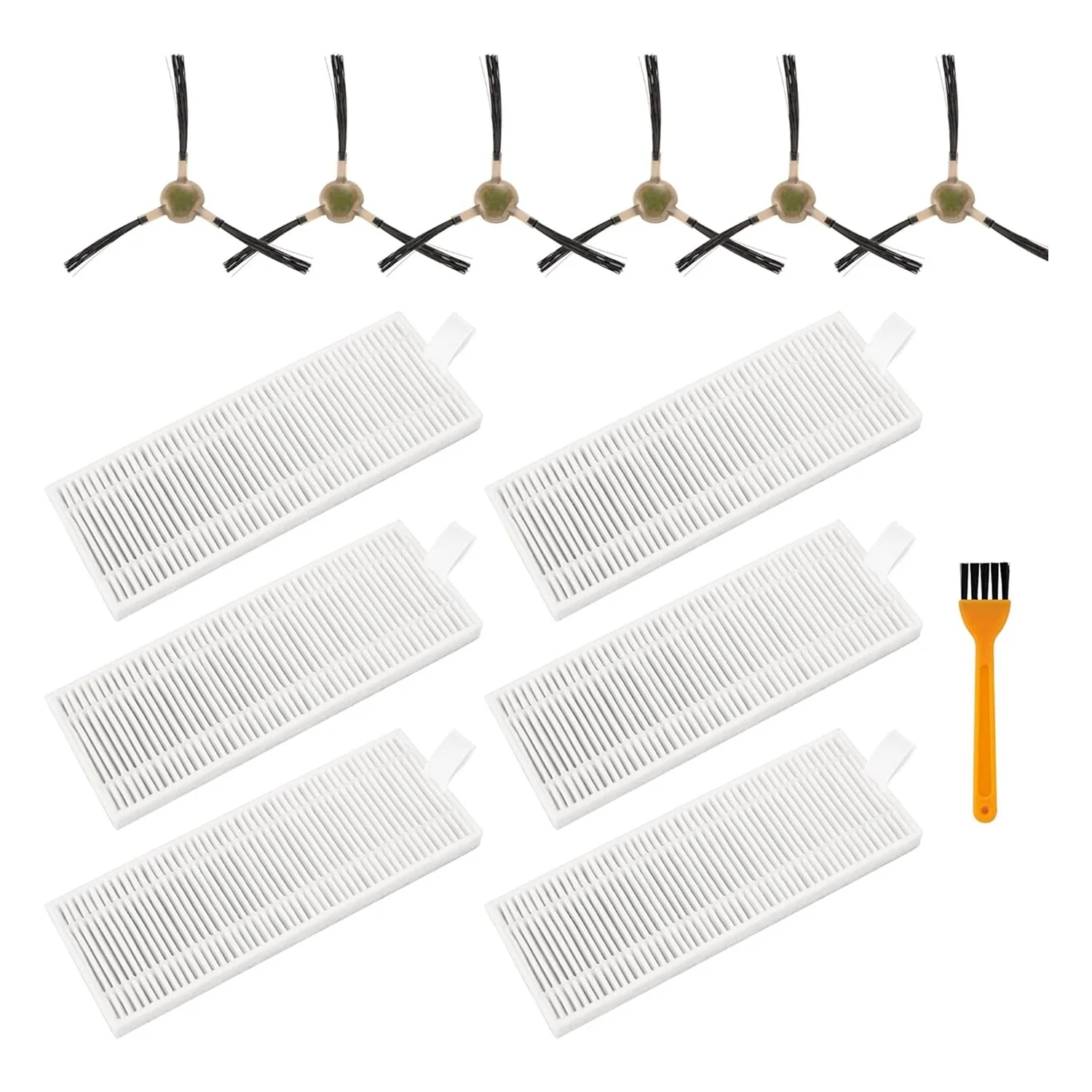
Replacement Parts Kit for OKP Life K2 K3 K3A K4 K5 and Lefant M210 M210S M210B M213 - Side Sweep, Edge Brush, HEPA Filter, Extra Cleaning Tool
Key Features
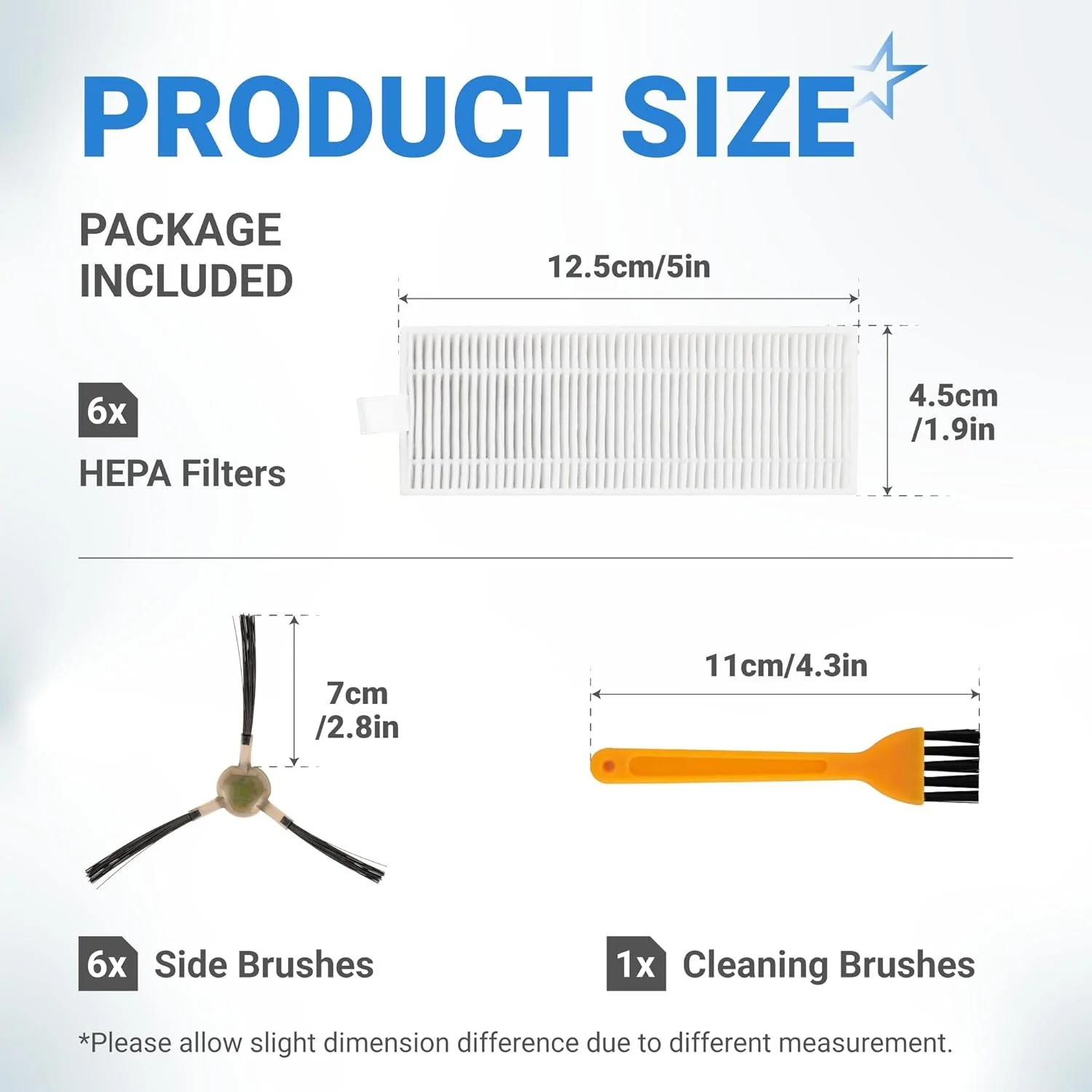
- High-efficiency HEPA filters designed to capture 99.97% of airborne particles, dust, and pet dander down to 0.3 microns.
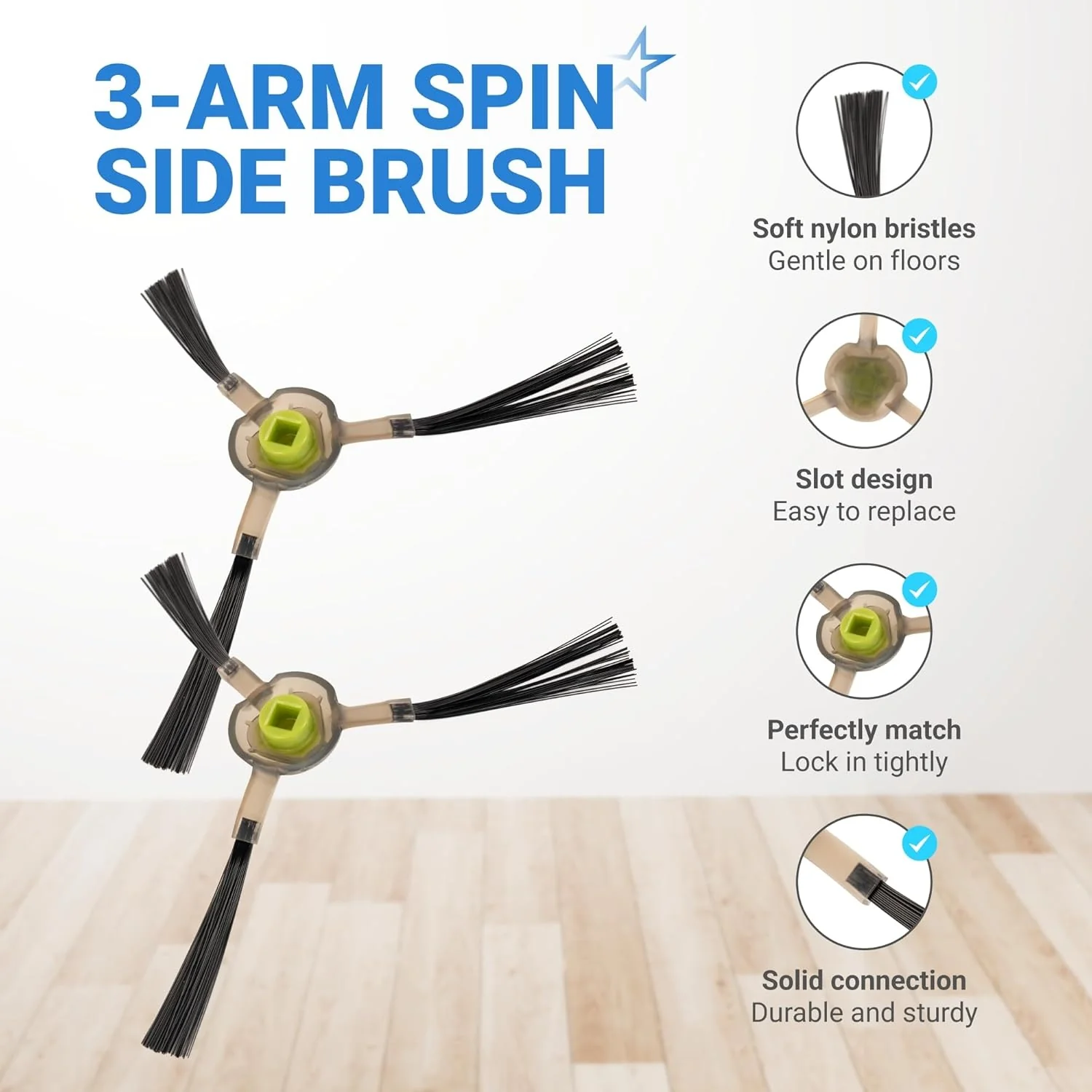
- Nylon-bristle side brushes with a flexible arm design to sweep debris from corners and wall edges into the suction intake.
- Precision-fit edge brushes manufactured from high-grade polycarbonate for increased durability and wear resistance.
- Includes a specialized cleaning tool with a concealed blade to safely remove hair and fibers wrapped around the brushes and sensors.
- Snap-in components engineered for rapid, tool-free replacement to maintain peak cleaning performance.
Replaces / Cross-Reference Part Numbers
- M210-PJTZ-009
- OKP-K2-K4-KIT
- LEF-M210-PJ
- AVA-M210-18PK
Compatibility & Fitment
- OKP Life Models: K2, K2P, K3, K3A, K3P, K4, K5, C5
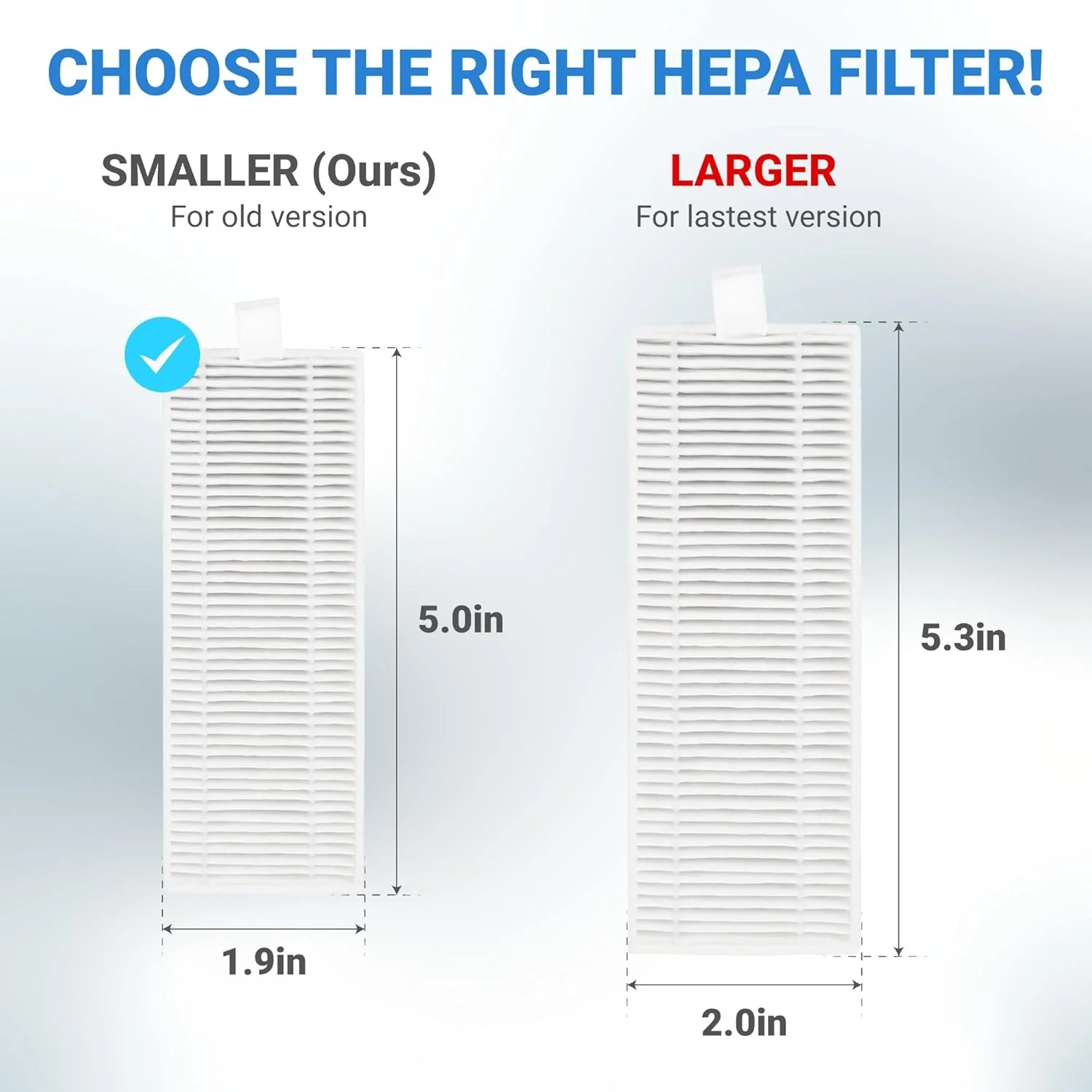
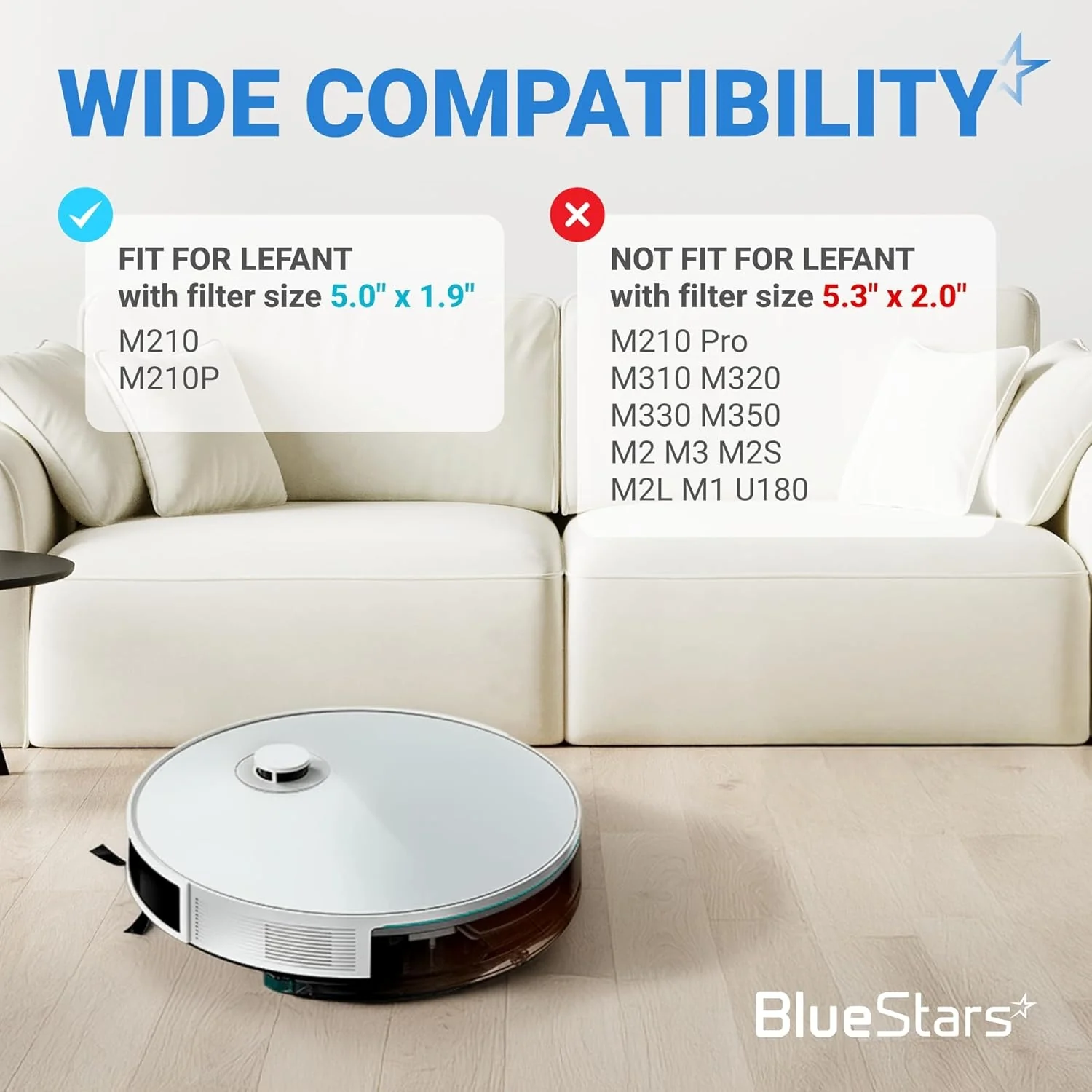
- Lefant Models: M210, M210S, M210B, M210P, M213, M213S, M2, N1, M210 Pro
When to Replace
- HEPA Filters: Replace every 2–3 months to prevent airflow restriction and protect the vacuum motor.
- Side Brushes: Replace every 3–6 months or when the bristles become splayed, frayed, or permanently bent.
- Cleaning Tool: Use weekly to clear the brush module and air intake of hair clogs and obstruction.
- Filter Maintenance: Tap out loose dust weekly; do not wash the HEPA filter with water as it can damage the specialized media.
Installation Tips
- Power off the unit using the main switch (I=ON, O=OFF) before performing any maintenance.
- Filter Installation: Open the top faceplate, remove the dust bin, and snap the new HEPA filter into the rear housing. Ensure the filter is seated flush to maintain a proper seal.
- Side Brush Replacement: Pull the old brush straight up from the motor spindle. Align the new brush and press down until a distinct "click" is heard.
- Reshaping Brushes: If side brushes arrive deformed from shipping, soak the nylon bristles in warm water for 3 to 5 minutes to restore their original shape.
- Sensor Care: Use the included cleaning tool or a dry cloth to wipe the anti-drop sensors on the bottom of the unit to prevent navigation errors.
$6.61
Original: $18.89
-65%Replacement Parts Kit for OKP Life K2 K3 K3A K4 and Lefant Robot Vacuum Cleaner—
$18.89
$6.61Product Information
Product Information
Shipping & Returns
Shipping & Returns
Description
Replacement Parts Kit for OKP Life K2 K3 K3A K4 K5 and Lefant M210 M210S M210B M213 - Side Sweep, Edge Brush, HEPA Filter, Extra Cleaning Tool
Key Features
- High-efficiency HEPA filters designed to capture 99.97% of airborne particles, dust, and pet dander down to 0.3 microns.
- Nylon-bristle side brushes with a flexible arm design to sweep debris from corners and wall edges into the suction intake.
- Precision-fit edge brushes manufactured from high-grade polycarbonate for increased durability and wear resistance.
- Includes a specialized cleaning tool with a concealed blade to safely remove hair and fibers wrapped around the brushes and sensors.
- Snap-in components engineered for rapid, tool-free replacement to maintain peak cleaning performance.
Replaces / Cross-Reference Part Numbers
- M210-PJTZ-009
- OKP-K2-K4-KIT
- LEF-M210-PJ
- AVA-M210-18PK
Compatibility & Fitment
- OKP Life Models: K2, K2P, K3, K3A, K3P, K4, K5, C5
- Lefant Models: M210, M210S, M210B, M210P, M213, M213S, M2, N1, M210 Pro
When to Replace
- HEPA Filters: Replace every 2–3 months to prevent airflow restriction and protect the vacuum motor.
- Side Brushes: Replace every 3–6 months or when the bristles become splayed, frayed, or permanently bent.
- Cleaning Tool: Use weekly to clear the brush module and air intake of hair clogs and obstruction.
- Filter Maintenance: Tap out loose dust weekly; do not wash the HEPA filter with water as it can damage the specialized media.
Installation Tips
- Power off the unit using the main switch (I=ON, O=OFF) before performing any maintenance.
- Filter Installation: Open the top faceplate, remove the dust bin, and snap the new HEPA filter into the rear housing. Ensure the filter is seated flush to maintain a proper seal.
- Side Brush Replacement: Pull the old brush straight up from the motor spindle. Align the new brush and press down until a distinct "click" is heard.
- Reshaping Brushes: If side brushes arrive deformed from shipping, soak the nylon bristles in warm water for 3 to 5 minutes to restore their original shape.
- Sensor Care: Use the included cleaning tool or a dry cloth to wipe the anti-drop sensors on the bottom of the unit to prevent navigation errors.